TicketBot: The Ultimate
Discord Ticket Bot
The most powerful Discord ticket bot with a web dashboard to configure, monitor, and manage support tickets. Set up custom ticket panels, track staff analytics, and provide professional community support with our free ticket system.
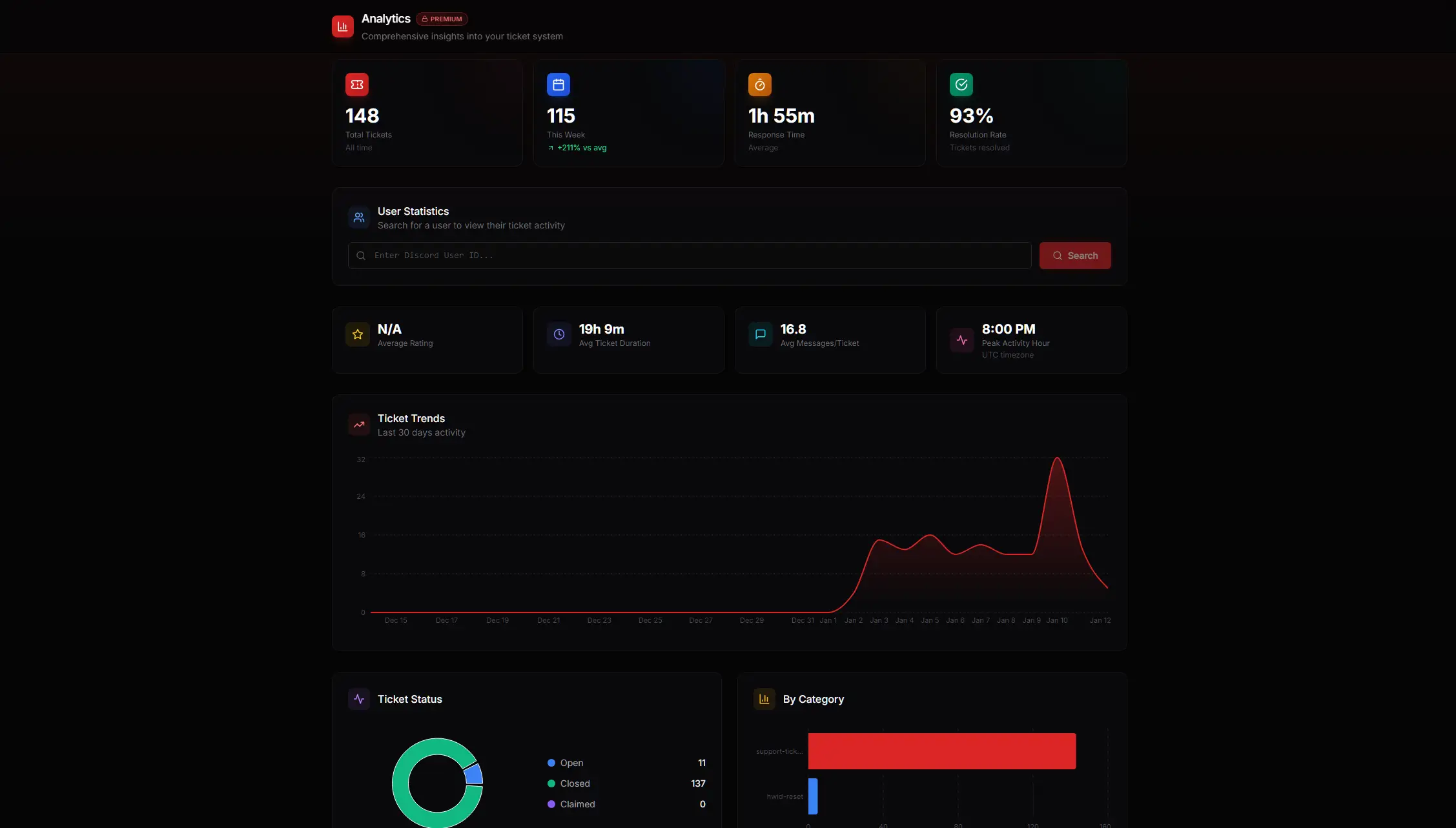
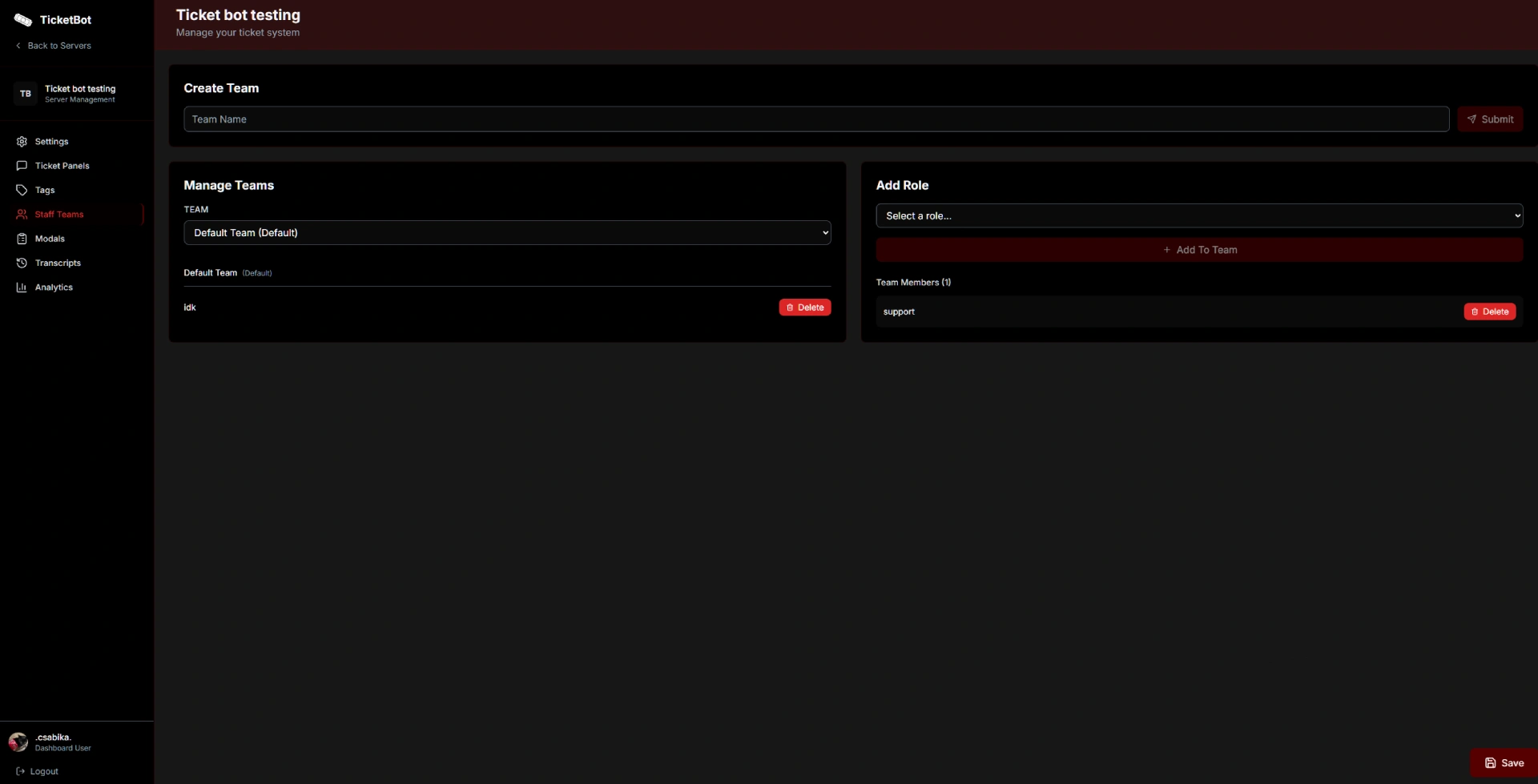
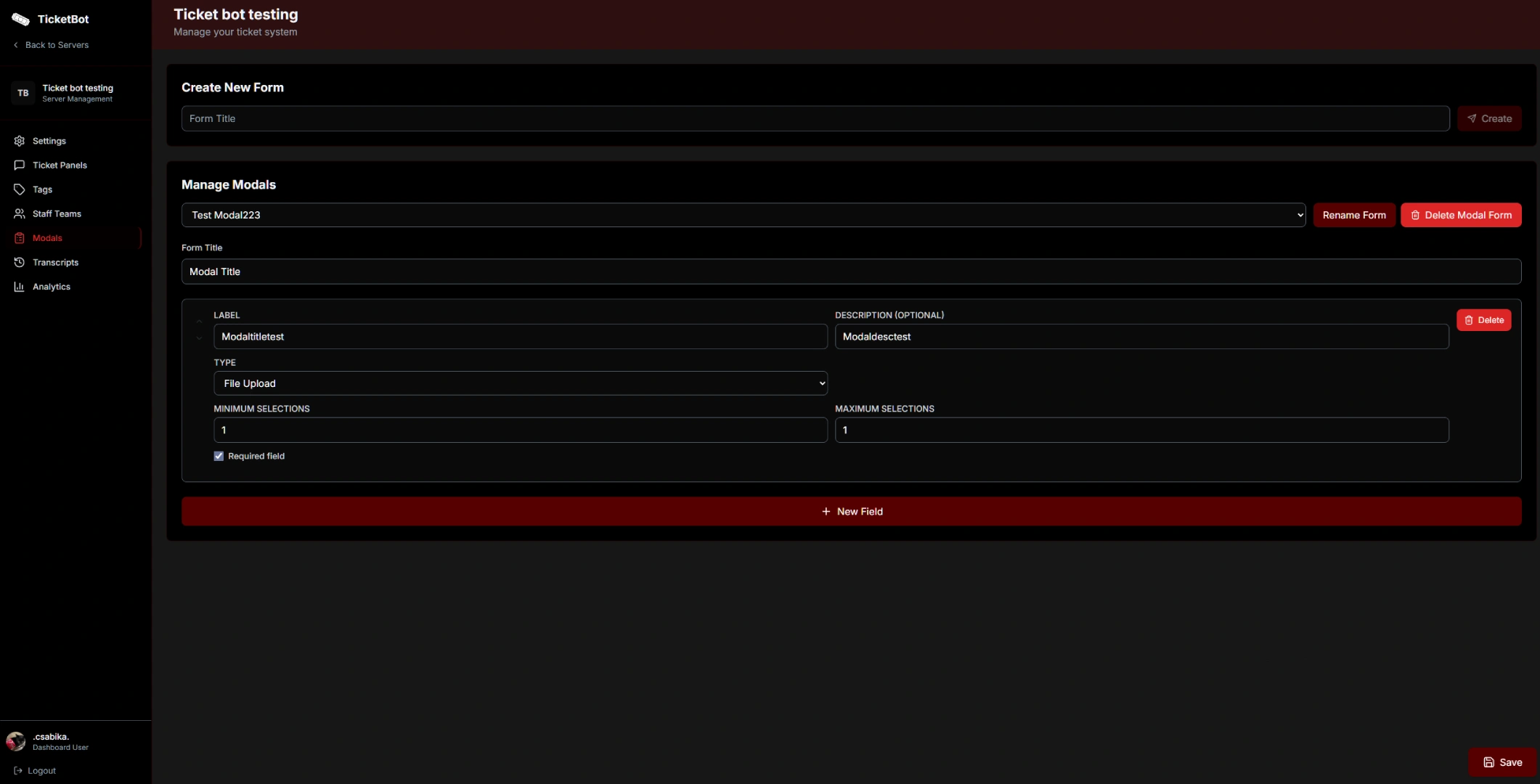
Complete Discord Ticket System
From basic ticket setup to advanced support analytics, our Discord ticket bot dashboard has all the tools you need to manage community support tickets professionally.
Discord Ticket Management
View, close, and manage all your Discord support tickets from one central dashboard location.
Support Analytics & Reports
Track response times, ticket volume, and staff performance with detailed support analytics.
Easy Bot Configuration
Set up support roles, ticket categories, and welcome messages with our intuitive dashboard interface.
Custom Ticket Panels
Create multiple Discord ticket types with specific welcome messages and custom panel behaviors.
And So Much More
We've thought of everything to keep your server safe and organized. From abuse prevention to seamless integrations.
Get Started in Minutes
Set up your professional ticket system in three simple steps.
Invite the Bot
Add TicketBot to your Discord server with one click. No code required.
Configure
Use the dashboard to customize panels, roles, and welcome messages.
Start Managing
Begin handling support tickets professionally with analytics.
Why Choose TicketBot?
Built for communities that take support seriously.
Without TicketBot
- Disorganized support channels
- No data on staff performance
- Lost tickets and ignored users
- Manual, repetitive tasks
With TicketBot
- Custom Panels for organized channels
- Detailed Analytics & Metrics
- Professional Web Dashboard
- Improve Support Quality drastically
Latest Discord Ticket Bot Updates
We're constantly improving TicketBot with new features and enhancements for your Discord ticket system.
February 2026
Feb 17, 2026TicketBot now speaks your language! Multi-language support has arrived with 8 languages at launch, plus improved form responses in tickets and stability fixes.
January 2026
Jan 10, 2026January update brings Live Preview for panels, allowing you to see exactly how your panels will look on Discord while you create or edit them.
Frequently Asked Questions
Everything you need to know about our Discord ticket bot.
Is TicketBot free to use?
How do I set up a Discord ticket bot?
What makes TicketBot different from other Discord ticket bots?
Can I customize the ticket panels and messages?
Does TicketBot support transcript saving?
How many tickets can TicketBot handle?
Ready to Transform Your Support?
Join thousands of communities managing their Discord tickets professionally.